I’m an avid golfer, a 7ish handicap on my way to a 2 (been a 5.6) and frequent tester of golf clubs and equipment since 2015.
Quick Take
The Garmin R50 is a premium $5K launch monitor with built-in 10″ screen, 43,000+ courses, and pro-level accuracy that eliminates the need for tablets or phones.
Best for golfers building dedicated home sim setups, though it requires a computer for third-party apps and doesn’t work with iPad.
Garmin Approach R50 Review
Golfer Geeks Verdict
4.0/ 5
★★★★★★★★★★
The Scorecard
Accuracy4.5
Setup/Usability4.5
Features4
Portability4
Software/App4
Value3
5 = Among the best / 4 = Very good / 3 = Average–acceptable / 2 = Below average / 1 = Poor / 0 = ☠️
Best For
Golfers building a home SIM setup who want premium accuracy and feedback.
Considerations
Requires a computer; doesn’t work with iPad; $5K price point.
The Verdict
The Garmin R50 delivers a self-contained, pro-level launch monitor experience. With a built-in screen, simulation, and full shot feedback — all in one device — it eliminates the need for external apps or tablets.
If you value accuracy, convenience, and full SIM play, it’s an excellent choice. Just know that third-party apps require a computer, and this is a serious investment.
Best Launch Monitor Tested
Garmin Approach R50 Launch Monitor
★★★★★★★★★★4.0
Pros
✓Accurate & Consistent
✓Built-in Screen Display
✓LARGE selection of SIM courses + Ability to download local courses
We earn a commission if you make a purchase, at no additional cost to you.
I tested the R50 about 3 or 4 times on the range, and an equal number of times at home on my golf mat and net.
In this review, I’ll cover my experience with the Garmin Approach R50 — how it performed both on the range and at home, how the data compared to my Garmin R10 and other monitors I’ve used, what I liked (and didn’t), and whether I think it’s worth the $5K investment.
What Makes the Garmin R50 Launch Monitor Different?
The Garmin R50 is a self-contained launch monitor with everything built into one device—10″ touchscreen, 43,000+ courses via Home Tee Hero, and high-speed impact cameras. No phone or tablet required for launch monitor functions or full simulation.
It captures direct measurements of 15+ ball and club metrics with noticeably better accuracy than the R10 or VoiceCaddie SC4 Pro. The built-in screen and simulation eliminate setup complexity for dedicated sim users.
Third-party apps like Awesome Golf require a computer connection. iPad compatibility is not supported.
The Garmin Approach R50 is a premium launch monitor built for golfers who want pro-level data and simulation — without needing to pair the device to a phone or tablet.
Everything you need for launch monitor functions and full simulation is built into the unit itself.
The R50 features a large 10” color touchscreen, and comes preloaded with 43,000+ virtual courses through Home Tee Hero.
You can play complete rounds — from driver through putter — right on the device.
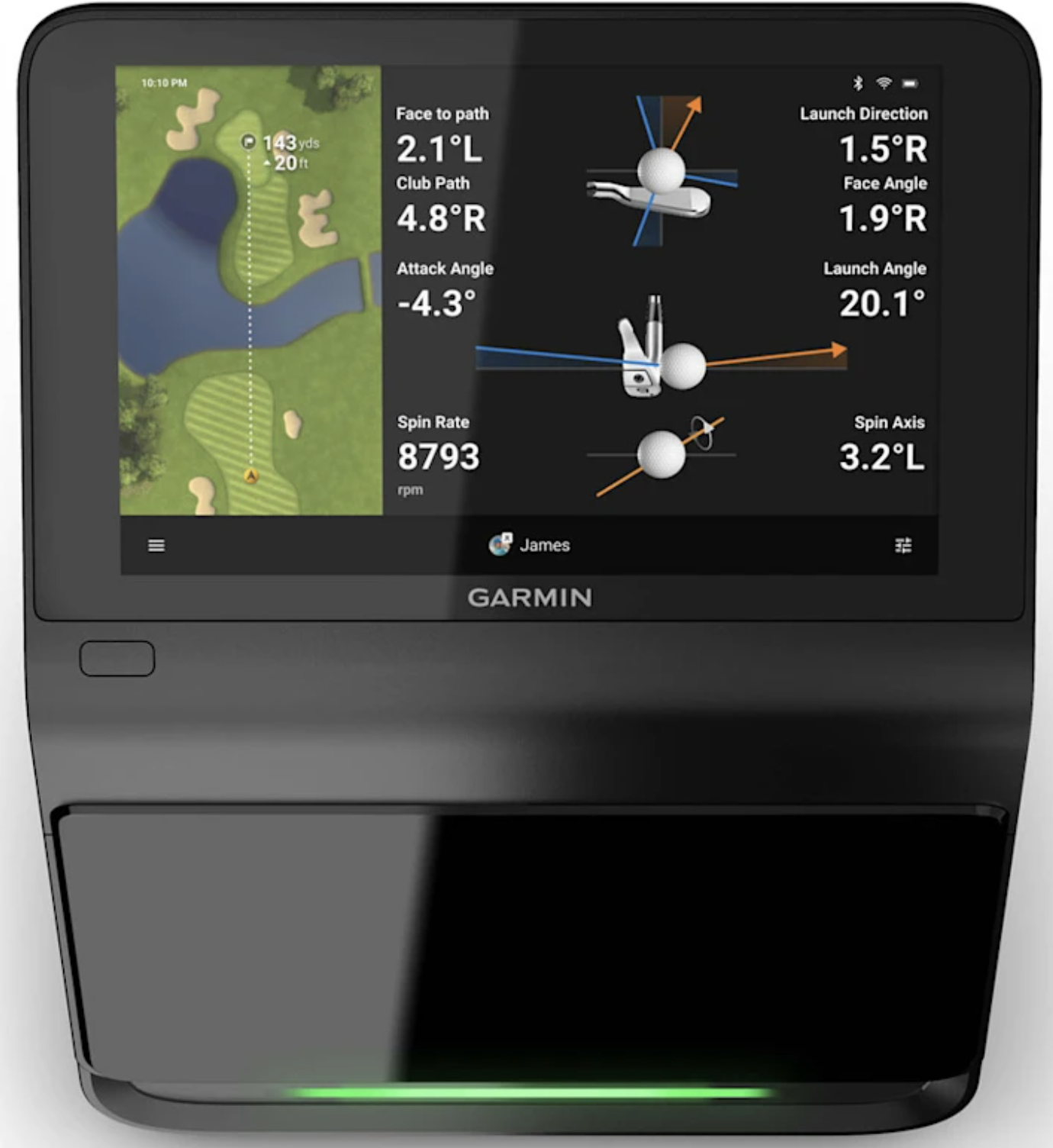
It also captures direct measurements of more than 15 ball and club metrics, and records high-speed impact videos with its built-in cameras. Shot data and video feedback are displayed instantly on the screen.
The R50 is also portable enough to move easily between your home setup and the range, thanks to its included carry case and battery-powered design.
It also eliminates the need to run apps on a separate device — a major plus if you’re building a dedicated SIM setup.
If you do want to use third-party software like Awesome Golf, you can — but it requires a computer connection.
The Garmin Golf app is not needed with this device.
Bottom line: The R50 offers a self-contained, high-quality launch monitor experience that’s hard to match. If you value accuracy, simulation depth, and convenience, it should be on your shortlist.
How Accurate Is the Approach R50?
The Garmin R50 delivers more accurate and consistent data than the R10 and VoiceCaddie SC4 Pro for carry distance, ball speed, launch angle, and club data.
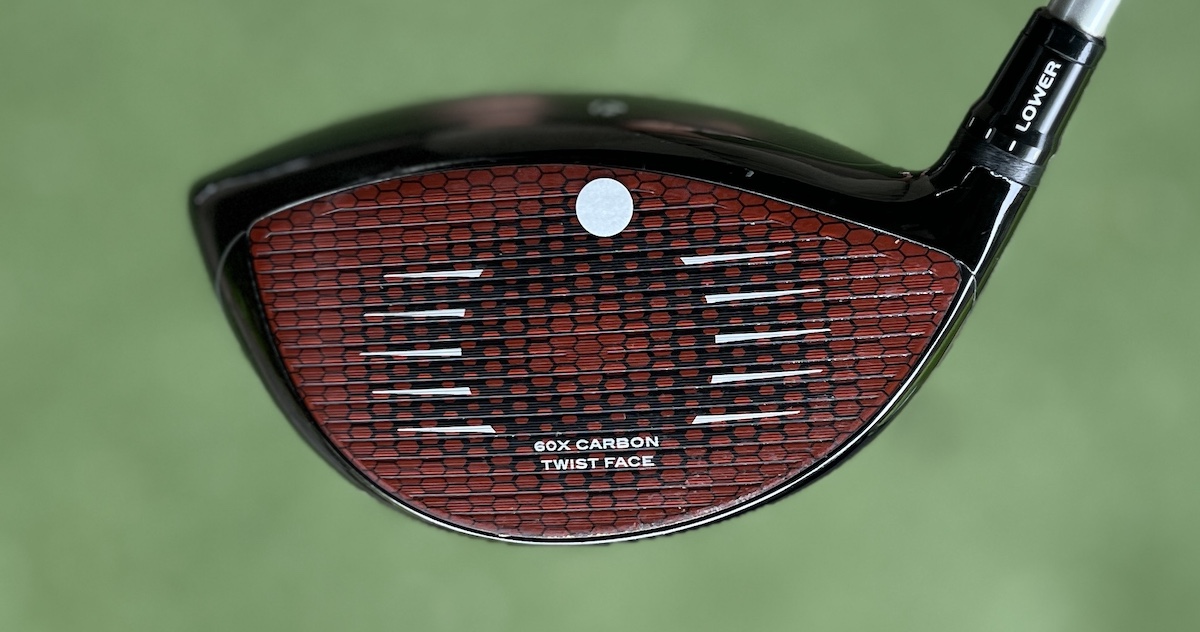
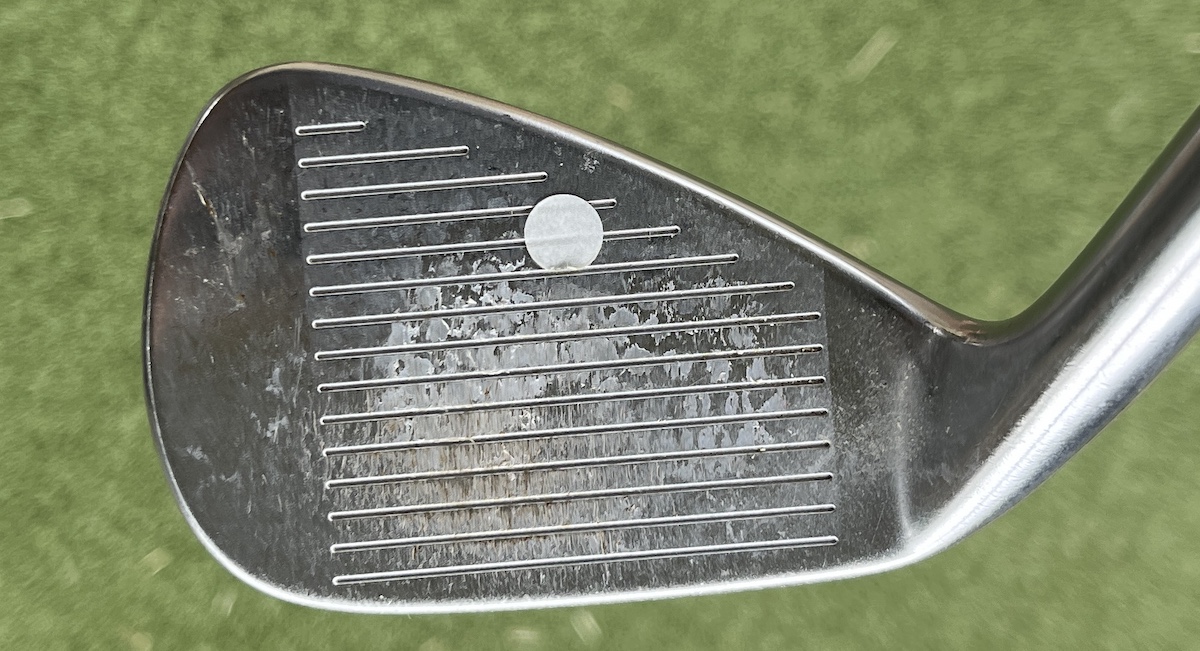
Club data requires applying included tracking stickers to each club. Without stickers, you only get ball data.
Accuracy holds up well both into a net and at the range since it doesn’t rely on radar. Data is trustworthy shot-to-shot, though rollout on short/mid irons is suspect (like the R10).
The Garmin R50 is more accurate more consistently than both the R10 and VoiceCaddie SC4 Pro in my testing.
Carry distance
Ball speed
Launch angle
Club data
Important note: To capture club data (club speed, face angle, path, etc.), you need to apply the included club tracking stickers to each club. Without the stickers, you will only get ball data.
I trust the data shot to shot — more than I do with the R10 or SC4 Pro. But, there were hiccups.
Rollout yardage: Like with the R10, rollout on short/mid irons is suspect. I ignore it.
Indoor vs outdoor: I used the R50 both into a net and at the range. Since it doesn’t rely on radar, accuracy is solid in both environments.
Compared to top-end systems like Trackman or GCQuad? Hard to say without direct testing, but based on my experience on those units — the R50 holds up very well for a consumer product.
Carry distance, ball speed, launch angle, and club data all felt trustworthy during my testing for the most part — both on the range and into a net.
What Features Does the Garmin R50 Offer?
The R50 measures 15+ ball and club metrics with high-speed impact video, includes 43,000+ virtual courses through Home Tee Hero, and features a built-in 10″ touchscreen.
Practice mode provides dispersion and shot data. The built-in barometer ensures accurate distance calculations.
Major limitation: Doesn’t work with iPad. You need a computer to run Awesome Golf or other third-party sim software.
Here’s what the R50 offers:
Direct measurements of 15+ ball & club metrics
Impact video with high-speed cameras
Practice mode with dispersion & shot data
Play 43K+ virtual courses (Home Tee Hero)
Built-in touchscreen (10” display)
Built-in barometer for accurate distances
I primarily use the Practice mode, and love having the impact video built-in.
Limitations: The R50 does not work with iPad. You’ll need a computer to run Awesome Golf or other SIM software — a frustrating limitation given its premium price.
One standout feature vs cheaper monitors: The built-in screen eliminates the need to use a phone or tablet for basic data. That’s a big plus in terms of convenience.
How Does the Garmin R50 Work with Apps and Software?
Home Tee Hero comes built-in with 43,000+ courses playable directly on the unit—including downloadable local courses. You can play full rounds from driver through putter without external devices.
Awesome Golf works well via computer connection but doesn’t support iPad. The Garmin Golf app doesn’t sync with the R50 (appears intentional since the unit is self-contained).
The built-in display eliminates the need for external devices for core launch monitor and sim functions.
My experience here was mixed — there’s a lot of potential, but also some quirks.
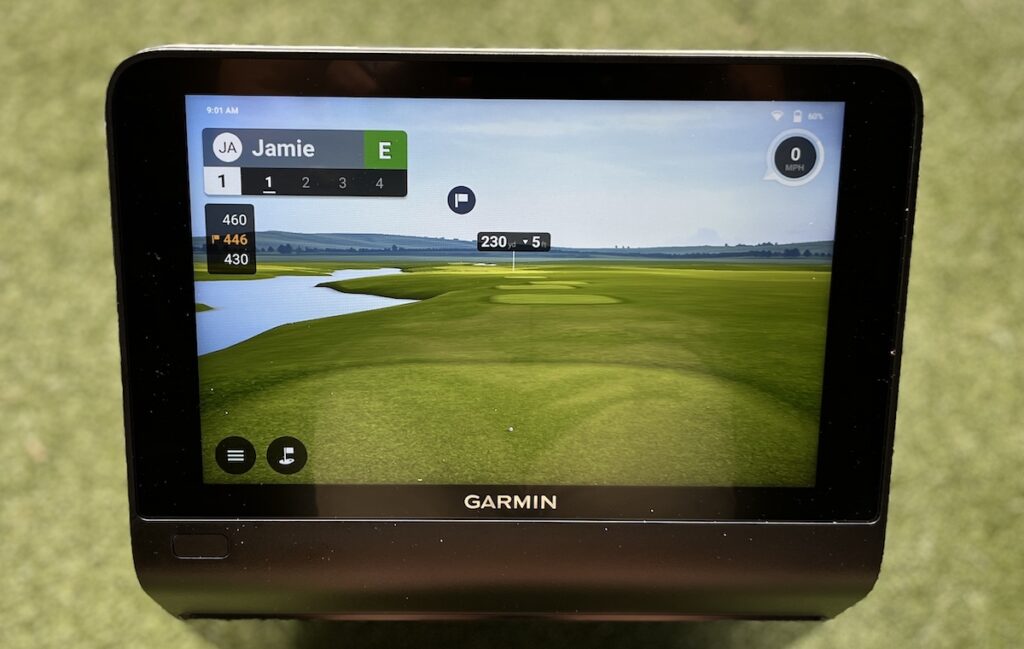
First, Home Tee Hero is a major feature of the R50. It comes built-in with 43,000+ virtual courses, playable directly on the unit’s 10” touchscreen. Plus, you can download local courses – I downloaded and played my home course.
This makes it one of the few launch monitors where you can play full rounds — from driver through putter — without needing a separate computer or tablet.
I tested Home Tee Hero on the built-in display, and the simulation experience is very good for casual play.
Graphics are solid, rounds load quickly, and the convenience of having it all built into the device can’t be overstated.
The R50 does not support Awesome Golf via iPad, which was a frustrating limitation for me.
Also, the R50 doesn’t sync with the Garmin golf app.
Summary:
Home Tee Hero is excellent for built-in SIM play.
Awesome Golf works well on a computer.
No iPad support for third-party apps.
Limited Garmin Golf app functionality.
Bottom line: Home Tee Hero gives the R50 a clear edge over cheaper monitors that require external devices to run simulation. But if you want a fully flexible SIM experience across devices, be aware of the current limitations.
How Easy Is the Garmin R50 to Set Up and Use?
Setup is simple because everything runs on the device itself—no phone, tablet, or computer required for launch monitor functions or Home Tee Hero simulation.
The 10″ touchscreen displays shot data, rounds load quickly, and graphics are solid for casual play. The experience is clean and convenient for dedicated sim use.
Third-party apps add complexity since they require computer connection. The self-contained design is the R50’s biggest advantage.
Everything you need to run launch monitor functions and simulation is built into the unit itself. The R50 has a 10” color touchscreen and 43,000+ preloaded courses through Home Tee Hero.
You can play full rounds, view shot data, and review impact videos right on the device — no phone, tablet, or computer required.
I tested Home Tee Hero on the built-in display, and it works well. Rounds load quickly. Graphics are solid for casual play. The experience is clean and very convenient.
The Garmin Golf app is maybe not intended to be the primary interface for this device — and that’s fine. Everything for core launch monitor use is already there in the unit itself.
I’m not sure if the Garmin app isn’t supposed to be used with the R50 or not. I could not get them to connect after many tries.
Summary:
Home Tee Hero is excellent for built-in SIM play.
Everything needed for launch monitor and SIM use is built into the R50.
Awesome Golf requires a computer connection.
Doesn’t work well or doesn’t work with the Garmin app – (Seems strange)
If you want a self-contained unit for full simulation and practice, the R50 delivers. Just know that running third-party apps adds a bit of complexity.
Who Should Buy the Garmin R50 Launch Monitor?
The Garmin R50 is designed for golfers building home sim setups who want premium accuracy and self-contained operation without tablets or phones.
Best for tech-focused players wanting detailed shot feedback with impact video, or anyone valuing convenience of built-in simulation. Not for casual users due to $5K price point.
Budget-conscious golfers should consider the R10 + Awesome Golf for much less money.
It’s not a monitor for casual users — but for the right buyer, it offers a lot of value.
Golfers wanting a built-in display to eliminate the need for tablets or phones.
Golfers building a SIM setup and want premium data and impact video.
Tech-focused players who want detailed shot feedback.
What Are the Best Alternatives to the Garmin R50?
Two budget alternatives from Garmin:
Garmin R10 ($600) – Reasonably accurate with Awesome Golf app, requires external device.
VoiceCaddie SC4 Pro ($500) – Simple setup with upgraded app, no subscription required.
Both offer good value for casual practice but lack the R50’s accuracy, built-in screen, and self-contained simulation.
The R50 is one of the most complete, self-contained launch monitors I’ve tested. The fact that you can play rounds, review shot data, and watch impact video — all on the unit itself — makes it unique in this space.
Accuracy is excellent. Simulation is deep and flexible.
Setup is simple. If you’re building a home SIM setup, and want a device that does it all without relying on your phone or tablet, the R50 delivers.
That said, this is a $5K+ product — and it’s not for everyone.
If you just want basic launch monitor data or casual practice, the R10 + Awesome Golf will get you there for much less.
But if you value accuracy, convenience, and a premium SIM experience that runs through the device itself, the R50 is absolutely worth considering.


 Written ByJamie