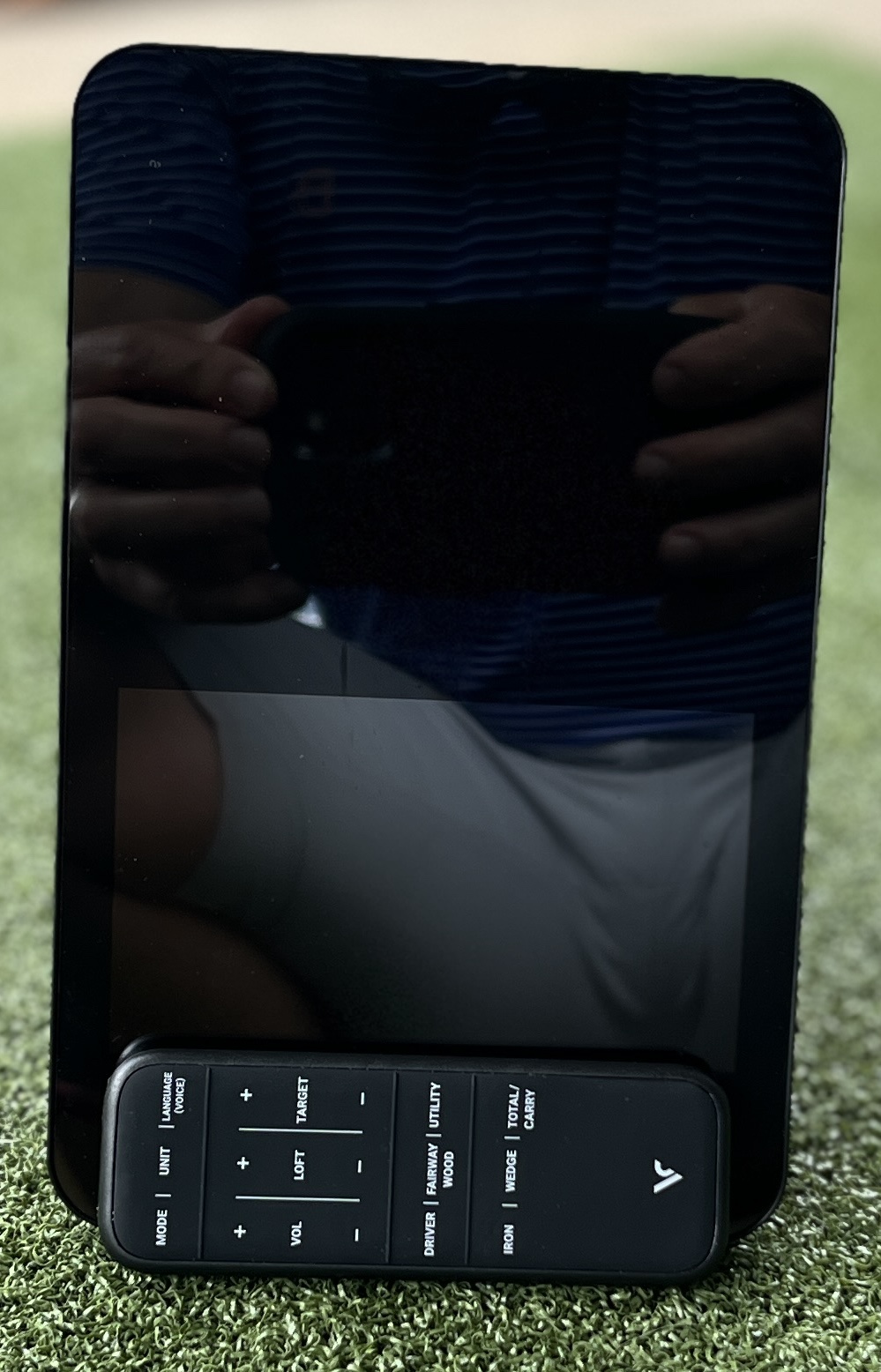
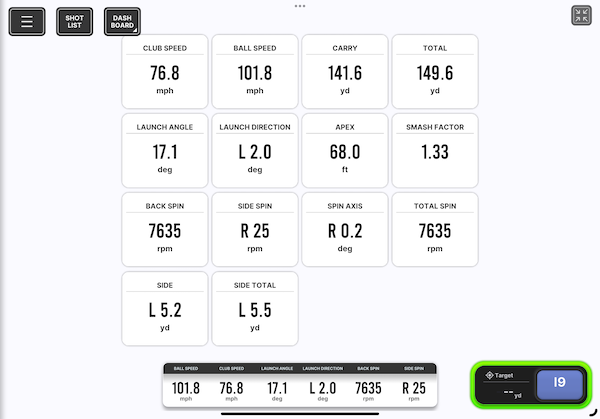
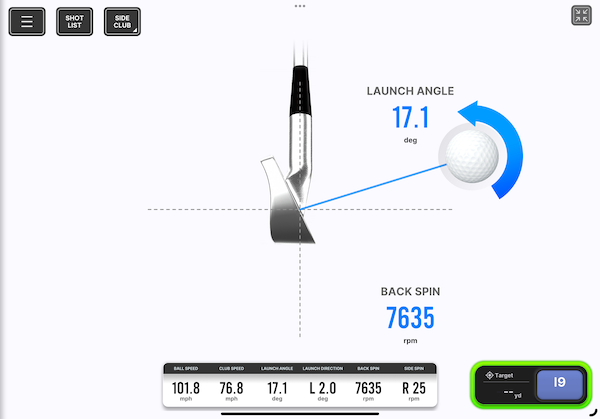
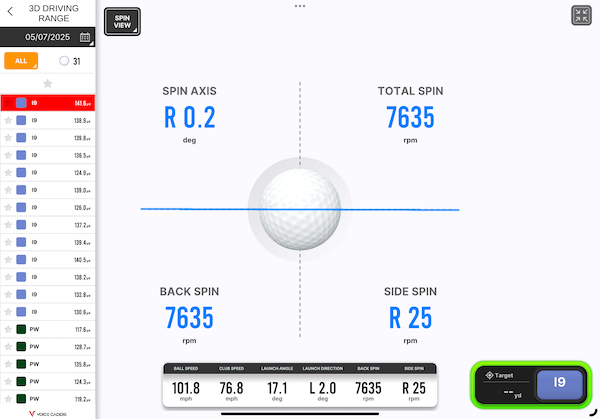
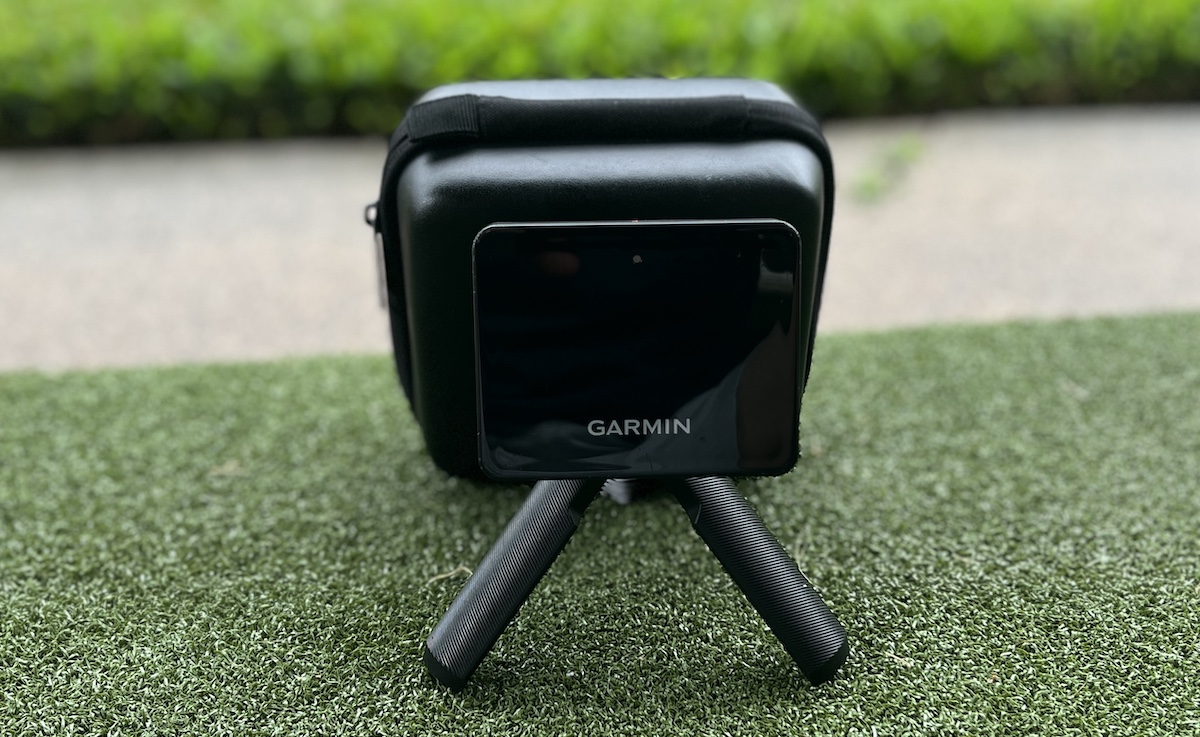
This is Golfer Geeks’ Voice Caddie SC4 Pro review.
I’m an avid golfer, a 7ish handicap on my way to a 2 (been a 5.6) and frequent tester of golf clubs and equipment since 2015.
Quick Take
The Voice Caddie SC4 Pro delivers accurate spin and carry data at $500-600, making it the best value in its price range.
The built-in display eliminates phone dependency—majorly convenient.
Best for golfers serious about practice data who want reliable numbers.
Voice Caddie SC4 Pro Review
Golfer Geeks Verdict
4.0/ 5
★★★★★★★★★★
The Scorecard
Accuracy4
Setup/Usability4
Features4
Portability4
Software/App4
Value4
5 = Among the best / 4 = Very good / 3 = Average–acceptable / 2 = Below average / 1 = Poor / 0 = ☠️
Best For
Golfers serious about their game and at least a little into their numbers.
Considerations
As with all devices at this price point, don’t expect perfection. It’s good enough for serious practice but not for tour-level precision.
The Verdict
It’s a solid investment in improving your game with mostly accurate data.
The swing speed training is a nice bonus if you’re chasing distance, and the built-in display plus sim capability make this one of the most complete sub-$600 units out there.
Highly Recommended
Swing Caddie SC4 Pro Simulator / Launch Monitor
★★★★★★★★★★4.0
Pros
✓Simple & Fast to set up
✓Can get numbers from unit display or use Driving Range mode on app
✓Upgraded app pairs easily
✓No subscription required
✓Great value
Cons
✕Like all launch monitors at this price range - Can occasionally get numbers that don't make sense.
We earn a commission if you make a purchase, at no additional cost to you.
I did a whoooole bunch of club testing with the SC4 Pro on the range, and a little bit more on my mat hitting into a net.
In this review, I’ll cover my experience with the Voice Caddie SC4 Pro: how it performed on the range and into a net, how accurate the data felt compared to my Garmin R10, what I liked (and didn’t), and whether I think it’s worth the price.
What Is the Voice Caddie SC4 Pro and Who Is It For?
At under $600, the SC4 Pro is designed for golfers serious about getting accurate practice data without the premium price tag.
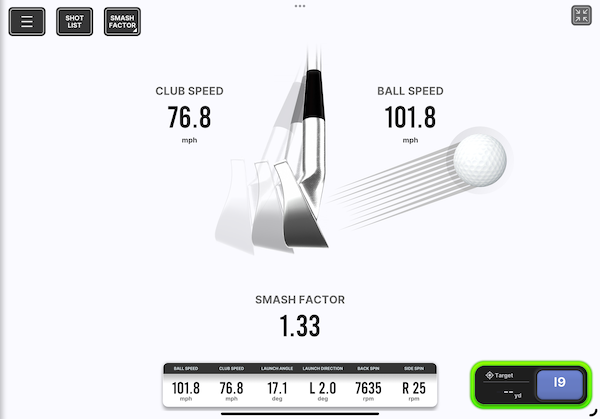
The SC4 Pro is a portable launch monitor and simulator combo that provides data like:
Carry distance
Ball speed
Launch angle
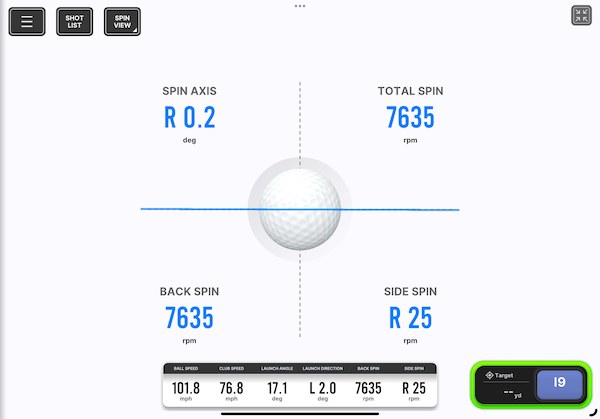
Spin (backspin, side spin, spin axis)
Apex height
Swing speed
You can also get numbers directly from a screen on the device (of which I’m a large fan), which is great if you don’t want to rely solely on the app.
The SC4 Pro sits in the mid-tier of launch monitors—above the budget options like the Rapsodo MLM and Garmin R10, but well below premium models like the GCQuad or Trackman.
How Accurate Is the Voice Caddie SC4 Pro?
The SC4 Pro is accurate enough for serious practice, with backspin data that’s more reliable than the Garmin R10.
I primarily tested the SC4 Pro on the range (right next to my Garmin R10), where I compared the numbers with my own observations and instincts.
I also tested it into a net at home to see how consistent it was in a more controlled environment.
Here’s what stood out:
Backspindata seemed more accurate to me than my Garmin R10, especially in driver testing. It records sidespin and spin axis too, but I don’t pay attention to those, if I’m being honest.
Ball speed, carry, and launch numbers were mostly consistent. Not perfect shot to shot, but good enough to grow trust in the unit the more I used it. (This is standard for units in this price range)
Obvious errors were rare—I did see the occasional strange number pop up, but they were infrequent and easy to spot.
I’m not sure how this is possible, but I think the unit got more accurate the more I used it. OR, I got better at using it.
No consumer launch monitor is flawless, but the SC4 Pro impressed me. I trusted the numbers and used them for real swing decisions.
What Features Does the Voice Caddie SC4 Pro Have?
The SC4 Pro provides full shot data with both a built-in display and mobile app, plus simulator capability via E6 Connect.
The SC4 Pro includes:
Full shot data including spin and dispersion metrics.
Swing speed training mode.
Display + app pairing.
Simulator capabilities via E6 Connect – pictured above. (subscription required).
Spin Axis & Side Spin
I found the SC4’s spin readings to be accurate and consistent enough to actually guide practice.
Backspin numbers were on point, which made me assume the rest of the spin metrics were solid too.
Swing Speed Training Mode
I tested this briefly and it seems to work well—though I initially made the mistake of hitting an actual ball during testing, which confused me since it tracked ball speed instead of swing speed.
That’s user error, but it’s something to be aware of.
Does the Voice Caddie App Work Well?
The Voice Caddie app pairs easily and works better than Garmin’s native app, without the bugs that plagued earlier Voice Caddie models.
The Voice Caddie app was easy to pair and worked reliably in my testing.
I’ve found the app rather wanting in the past with earlier Voice Caddie models.
This new app is a different story. It’s better than Garmin’s native app.
I didn’t run into any bugs or syncing issues. Data displayed clearly, and it was easy to track progress over time.
While it’s not as polished or feature-packed as some competitors, it was more than enough for my needs.
I set up the E6 Connect Simulator app – you get complimentary access to the driving range and 5 courses. The card says 1 course, but that’s changed within the app. I played Bandon Dunes.
Integration is relatively easy and I enjoyed the experience.
Note: I’m not a big simulator guy at this point. My experience is limited to the Awesome Golf app and my Garmin R10.
How Easy Is the Voice Caddie SC4 Pro to Set Up?
Setup is fast and simple—power on, connect via pairing code, and you’re hitting with data on both the display and your phone.
The SC4 Pro boots up quickly, connects easily to the app, and displays readings on the built-in screen.
I like that I don’t have to be tethered to a phone or tablet if I don’t want to be.
Switching between modes was straightforward, and the device never felt finicky or fragile.
The pairing code to integrate the app displays on the SC4 Pro. You then enter it into the app and you’re connected for life…I assume. It pairs instantly when you connect them in the future.
Who Should Buy the Voice Caddie SC4 Pro?
The SC4 Pro is best for:
Golfers who want accurate spin data without paying $2K+.
Those who want a simple, reliable, accurate training tool.
If you’re looking for ultra-detailed simulation or coach-level analytics, you’ll want to look higher up the ladder (and pay accordingly). But for the price, the SC4 Pro punches way above its weight.
Voice Caddie SC4 Pro: Common Issues and Limitations
Voice Caddie SC4 Pro: Common Issues and Limitations
No launch monitor is perfect. Here’s what I encountered during testing:
Occasional outlier readings: About 1-2 shots per session gave obviously wrong numbers (easy to spot and dismiss, but worth knowing they happen).
Swing speed mode confusion: If you accidentally hit a ball during swing speed training mode, it tracks ball speed instead of swing speed. Once you know this, it’s not an issue—just don’t hit a ball.
Android app limitations: Based on customer reviews, Android users report more connection issues than iOS users. I tested on iPad without problems.
E6 Connect setup: Integration is relatively easy once you understand the process, though some users in reviews reported initial setup challenges.
These are minor compared to what you get at this price point, but worth knowing before you buy.
Customer Reviews
The Voice Caddie SC4 Pro has an average rating of 4.2 out of 5 stars across 114 customer reviews. (1)
Most users praise the device for its ease of use, reliable accuracy, and practical training features, though there are a few complaints—especially from Android users and those setting up simulator software.
The Gist:
Easy setup and user-friendly interface were commonly mentioned highlights, especially when pairing with iPad or laptop.
Accurate and helpful data on swing speed, carry, and launch helped many users improve their swing mechanics in real-time.
Voice Caddie S app and E6 integration work well once configured correctly, though some experienced setup issues (particularly with Android or E6 Connect).
Android support needs improvement, with some users reporting connection problems or app compatibility issues.
Simulator and practice modes are appreciated, but some users requested more flexibility in range settings and the ability to analyze data post-session without needing a second device.
What Are the Best Alternatives to the Voice Caddie SC4 Pro?
If the SC4 Pro isn’t quite right for you, consider the Garmin R10 – Currently the only other home launch monitor I’ve got extensive experience with.
We earn a commission if you make a purchase, at no additional cost to you.
Voice Caddie SC4 Pro vs Garmin R10: Side-by-Side Comparison
The SC4 Pro beats the Garmin R10 on backspin accuracy and built-in display convenience, while the R10 offers better portability and app ecosystem integration.
Here’s how the SC4 Pro stacks up against the Garmin R10 based on my side-by-side testing:
Feature
SC4 Pro
Garmin R10
Winner
Backspin Accuracy
More reliable, especially on driver
Less consistent
SC4 Pro
Built-in Display
Yes – see data without phone
No – requires phone/tablet
SC4 Pro
Native App Quality
Improved, better than Garmin native
Requires subscription
SC4 Pro
Portability
Good – compact design
Excellent – smaller, lighter
R10
Simulator Options
E6 Connect (5 free courses)
Awesome Golf (major upgrade)
R10
Price
~$600
~$600
Tie
Bottom line: If you test clubs on the range regularly and want instant feedback without pulling out your phone, the SC4 Pro’s built-in screen and superior spin accuracy make it the better choice. If you want simulator play with Awesome Golf or need the included carrying case for travel, the R10 wins despite the weaker native app.
Final Verdict on the Voice Caddie SC4 Pro
The SC4 Pro was a pleasant surprise.
It delivers accurate spin, trustworthy carry numbers, and is just plain easy to use.
I wouldn’t call it perfect—no launch monitor is—but I trust the data enough to use it regularly. And that’s the highest compliment I can give any device in this category.
If you want a reliable launch monitor without spending over a grand, the SC4 Pro deserves a serious look.
We earn a commission if you make a purchase, at no additional cost to you.
2 thoughts on “Voice Caddie SC4 Pro Review – Plenty To Like About This One!”
Chris Bohne
Can you play the 5 free E6 courses more than once? Or is it one and done? I would use the range feature primarily, but it would be nice to play a round now and then.
JamieAuthor
Hey Chris – You get them for good when you buy the SC4 Pro.
Got a question about this?
Ask below and I'll answer — I read every one. Your email is only so I can reply; it is never shown and never added to a list.
Enter to save · Esc to cancel
Annotating0
The Weekly Geek
Get the gear notes that never make the reviews
Which kit is actually worth the money, the deals I have checked myself, and what I learn testing clubs.
YOU'RE IN!
See you in your inbox!
Not there in a minute? Check promotions or spam, and add us to your contacts.
That didn’t send. Check the address and try again.
Unsubscribe whenever you like. I won’t share or sell your information.
The Weekly Geek
Get the gear notes that never make the reviews
Which kit is actually worth the money, the deals I have checked myself, and what I learn testing clubs.
YOU'RE IN!
That didn’t send. Check the address and try again.
Unsubscribe whenever you like. I won’t share or sell your information.
The Weekly Geek
Get the gear notes that never make the reviews
YOU'RE IN!
That didn’t send. Check the address and try again.
Unsubscribe whenever you like. I won’t share or sell your information.

 Written ByJamie